Building two apps for the iPhone Duo that only make sense if you open and close it, without ever holding one.
When the iPhone Duo was announced, I kept thinking about the hinge. Every foldable app I’d seen treats the fold as something to work around. I wanted to make a couple of small things where the opening and closing is the whole point.
I had two ideas.
The first was an accordion. Open and close the phone to play it. My first thought was that the angle would change the pitch, with a little piano keyboard on the cover screen. To me this was the most hinge-worthy idea, and the more impressive one if it could actually work. It was also the one most likely to be rejected. An app that asks you to pump the hinge of a brand new, very expensive phone over and over could easily look like hinge abuse to App Review.
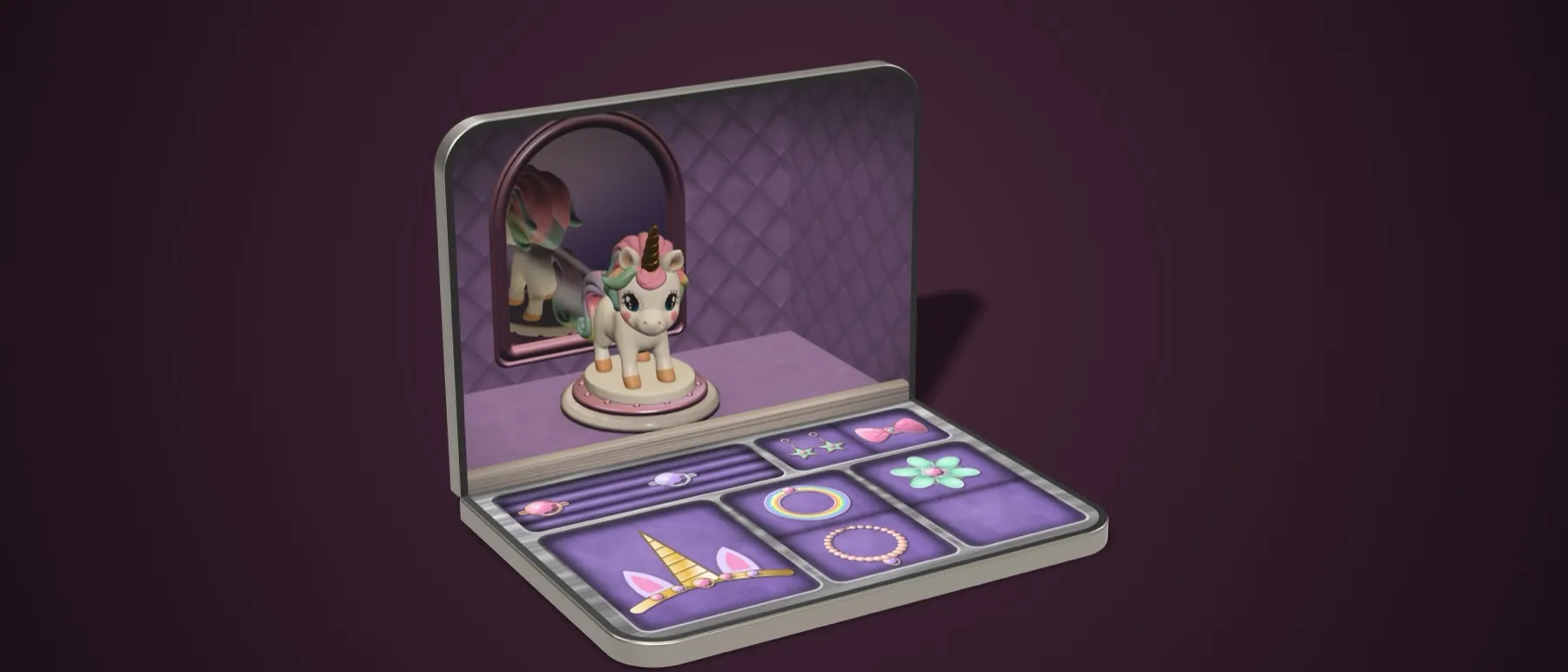
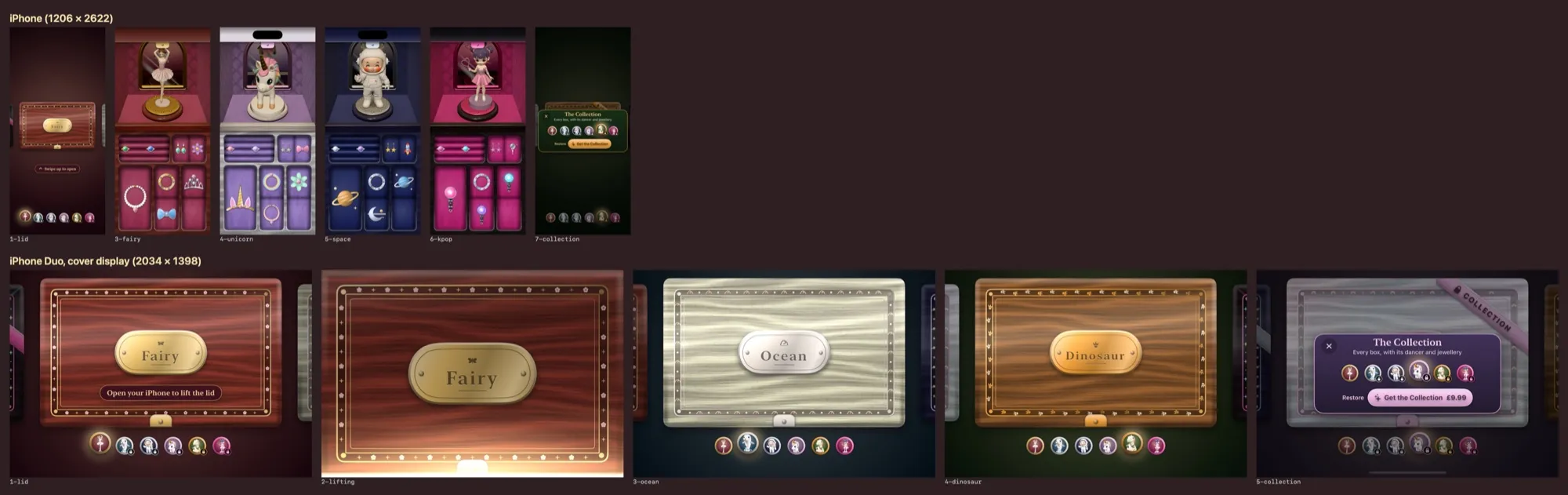
The second was a jewellery box. The kind you might have had on a bedside table growing up, a pretty box that opens to reveal pretty things, plays music while it’s open, and has a dancer spinning round inside. Closed, the cover screen would show the lid. Open, the top half would show the dancer and the bottom half the jewellery.
For both, there was a slightly cynical bit of reasoning too. Anyone who has just bought a very expensive phone wants something that shows off why it was worth it. A toy accordion or a bedtime music box for the kids might help justify it, in a small way.
These are now Bellowsby and Twirlaby, and both were approved last week. The first Duos arrive on Friday, and I’m getting one. So I’ve built and shipped two apps that depend entirely on a hinge I’ve never actually touched. That still feels a bit odd to write down.
Why Swift, and not Expo
My other apps, Did It and Customs Finder, are built with Expo and React Native. I like Expo a lot. It lets me write one app for iPhone and Android, and it handles building and submitting to the stores for me, which has protected me from a lot of Xcode.
For these two it didn’t make sense. The hinge APIs only existed in a beta of Xcode 27.1. No React Native library was going to wrap something that new, and if it did, I’d be waiting on someone else to keep up. The jewellery box needed proper 3D for the dancer, and the accordion needed sound generated live with very little delay. Both are things Apple’s own frameworks do well, and both are things I’d only ever be borrowing through a bridge in React Native. There was no Android version to share code with either, since the whole idea is tied to one device.
So I decided to go Swift only, and try to get as close to the OS as I could. It’s agentic coding all the way, using Claude and Cursor, so in practice that meant asking them to write Swift, and me learning a lot about how Xcode works along the way.
What’s even possible?
Before writing anything, I asked whether these were buildable end to end, including the graphics and the 3D dancers. The honest answer was “mostly, with caveats”.
The first caveat came straight away. I’d assumed the cover screen and the inner screens could both be live at once. They can’t. Reading through the SDK, there was no public way to keep the cover screen going while the inside is in use. That killed the accordion’s outside keyboard on day one, and the accordion moved entirely inside.
The second was that nobody really knew how the hinge would report its angle. I’d read that it gives you the angle to the nearest 5 degrees. Apple’s own documentation says the rate and precision are up to the system and shouldn’t be relied on. That matters a lot if you want a sound to follow your hand.
So the first thing we built wasn’t either app. It was a tiny test app that did nothing except log the hinge angle, the screen size and whether the app was active, to a file. I opened and closed the simulator by hand for a while, and it recorded about 780 updates.
What came back was more useful than any guessing:
- In the simulator the angle is continuous, with updates every 30 to 50 milliseconds and steps of well under a degree to about three degrees. Real hardware may well be coarser.
- Nothing is reported between 0 and 5 degrees. It jumps straight from closed to 5.
- The app stays on the cover screen until about 20 degrees, then moves to the inside. So the lid lifting on the jewellery box has to happen on the cover screen, and the inside only appears once you’re past 20.
- The app never relaunches or pauses as you open and close it. Sound keeps playing straight through.
That last one was a relief. It meant music could carry on as you opened the box, rather than stopping and starting.
The simulator, and the early Device Hub
This is where most of my time went, and most of my patience.
The simulator that ships with the Claude desktop app can’t open and close a Duo at all. The only way to move the hinge is in Device Hub, a new tool that came with the Xcode beta. It has three buttons for closed, half open and fully open, and you can drag the hinge by hand for anything in between. There’s no way to move it from the command line, so the agent sessions building the apps couldn’t test the hinge themselves. They could build, run tests and take screenshots, but every actual open and close was me with a mouse, or a coordinating session driving Device Hub through computer use.
The mouse is also only ever one finger. On the accordion I couldn’t hold a key and move the hinge at the same time, which is a fairly important part of playing an accordion.
Then there were the bugs that may or may not be real. Opening the jewellery box to about 90 degrees sometimes gave me a black screen where the dancer should be. Sometimes the dancer loaded in lying on their side. Closing the accordion from fully open, the sound would stop at about 90 degrees. We spent a while chasing these as app bugs, and fixed a couple of genuine ones along the way, but the test app eventually showed the simulator reporting the hinge as closed at 57, 84 and even 138 degrees. If the system thinks the phone is closed, it switches the inside screen off, and nothing I write can change that. My best guess is that it’s a simulator quirk. I’ll find out on Friday.
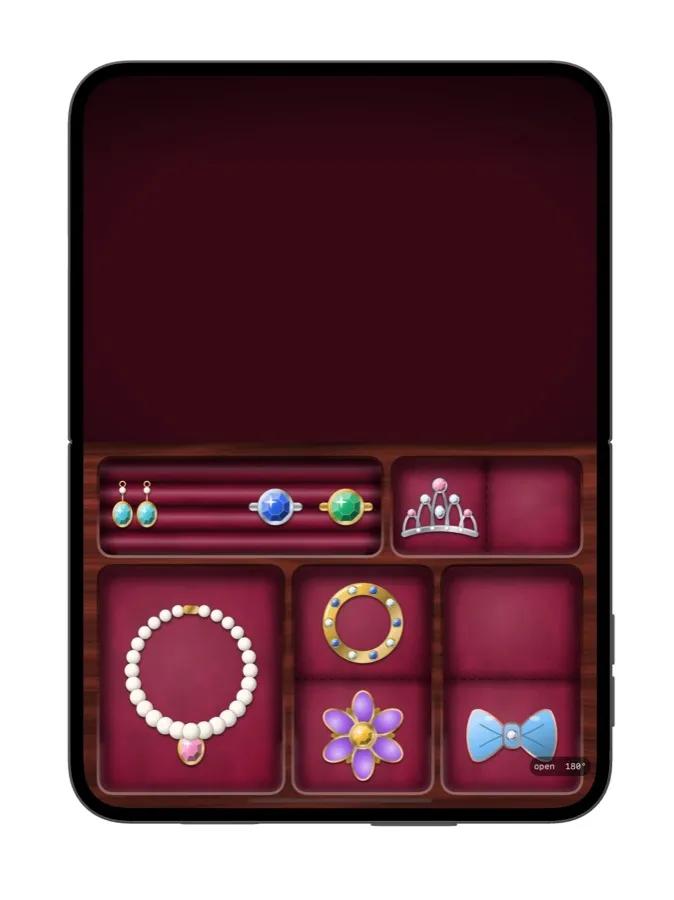
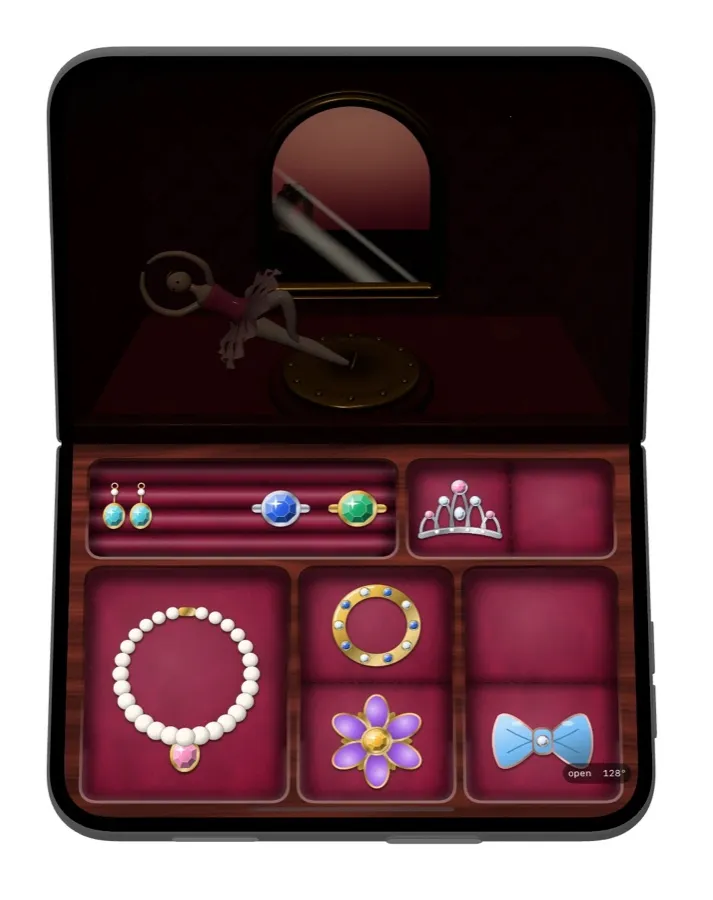
There was also the cover screen spinning half a turn every time the box closed. I asked for it to be locked. The fix made it spin twice. We put that one back and left it for real hardware too.
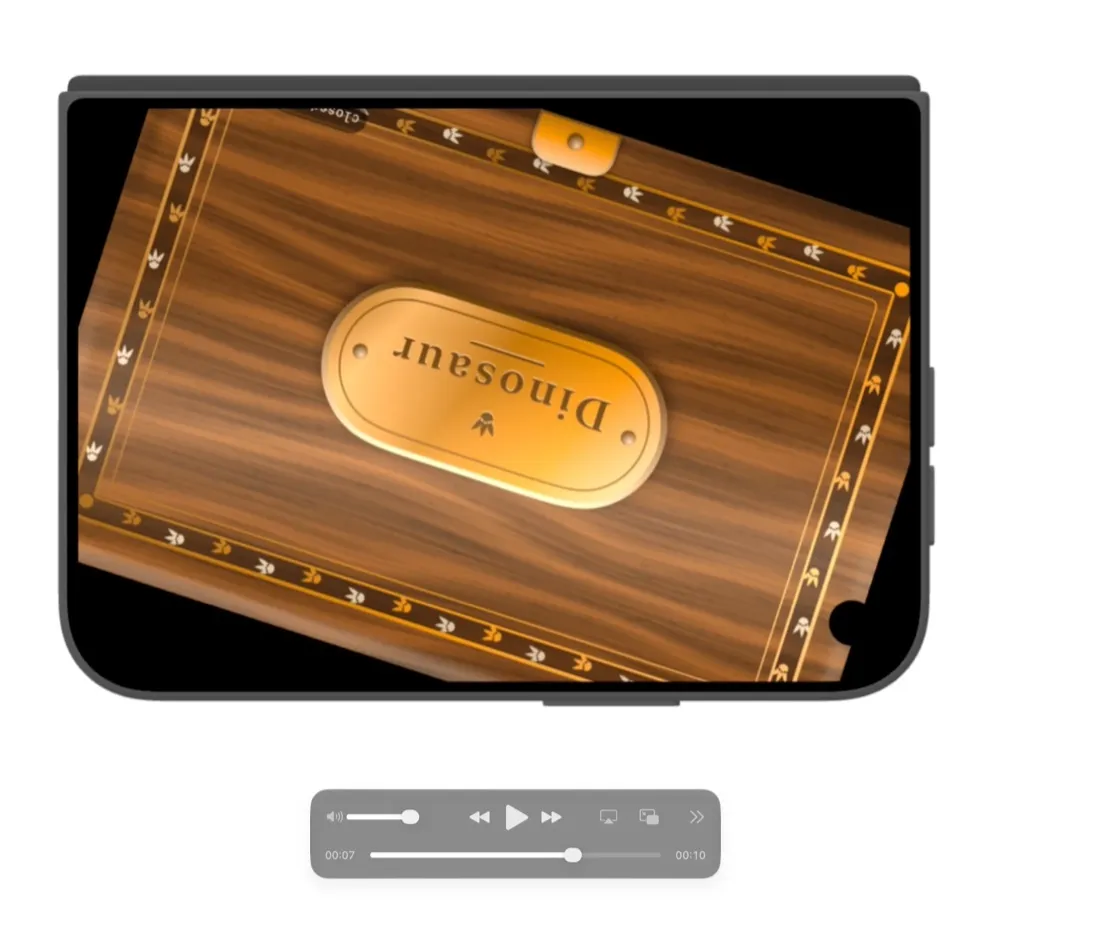
And there was my Mac, which has 16 GB of memory. At one point we had four Duo simulators running for different sessions and it slowed to a crawl. The rule since then has been one simulator per app, and never more than two Duos at once. It still crashed on me once while making the marketing renders.
Where it started
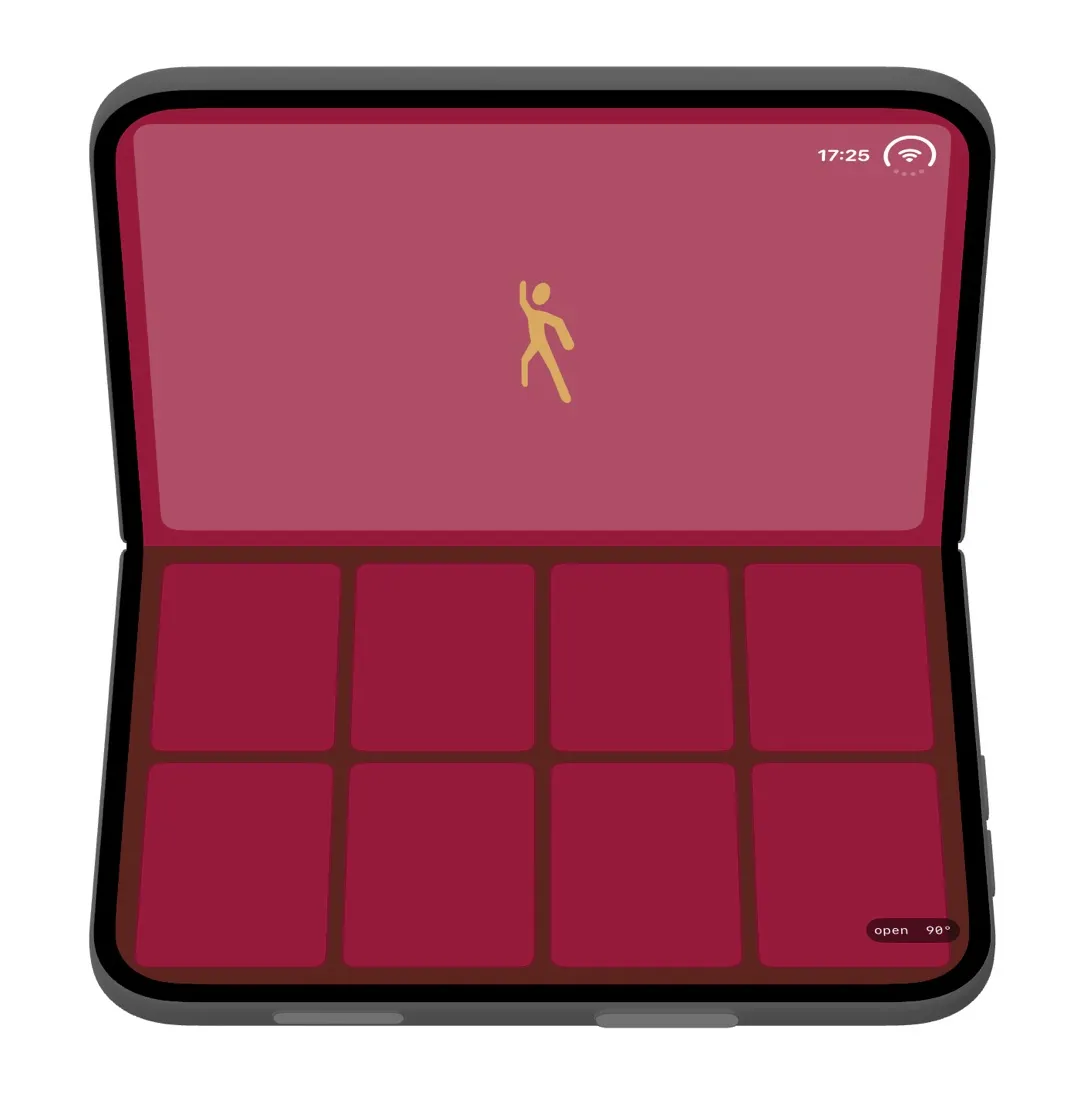
For a sense of how far these came, this was the very first jewellery box, with a stick figure for a dancer and eight empty boxes for jewellery.
The first real ballerina followed later that day, with a working mirror behind them.
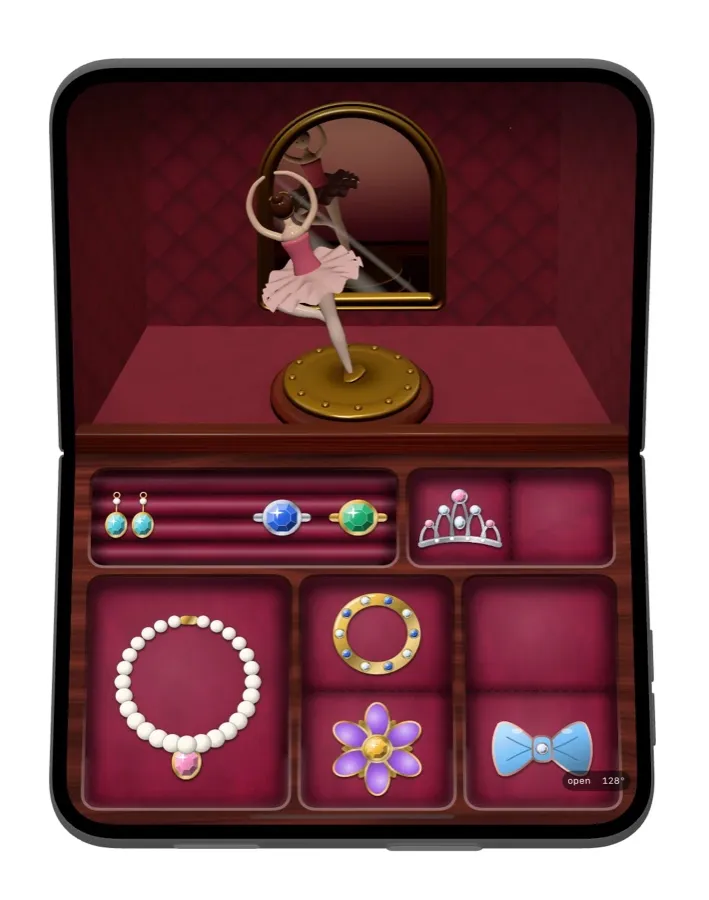
The dancers themselves came from an AI 3D model generator called Meshy, which cost me about £10 for a month. Claude wrote the prompts, called the service, converted the models and checked them. Some of the early results were, let’s say, not something you’d want a child to see at bedtime. One very promising fairy had a raised leg with two shoes on it that folded back on itself. A dolphin had its fin on sideways, and a dinosaur had a split tail. After that we checked every model from five angles before I saw it, because a nice front view had already hidden a bad leg once.

Figuring out the sound
The accordion was the harder of the two, because the hinge is the instrument.
There were two options. In the first, how fast you open and close sets how loud it is, like squeezing real bellows. In the second, the angle picks a note or an octave and the keys do the rest. The first only works if updates arrive quickly and in small steps. The simulator said they did, so we went with bellows, and kept the other option in the back pocket in case real hardware disagrees.
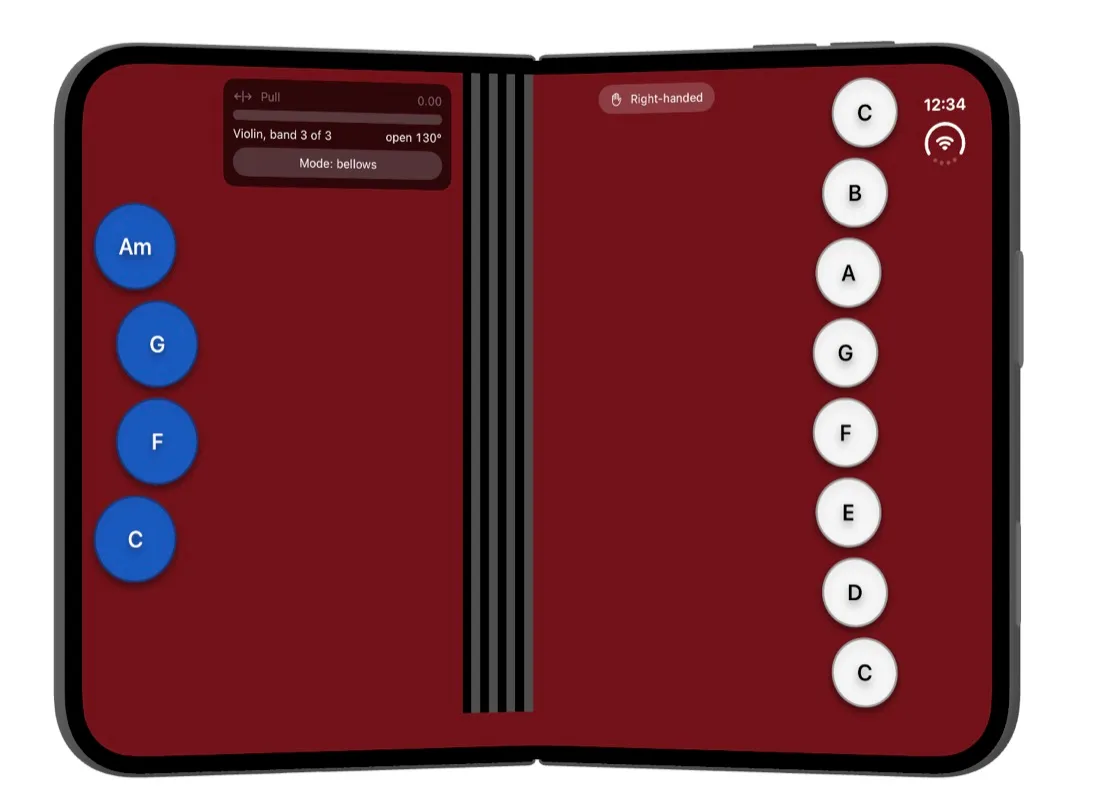
Then I tried to imagine actually holding it. A Duo half open in two hands, pumping the hinge. Only your thumbs can reach anything. My lovely keyboard of buttons was mostly unplayable, and I’d only noticed because the simulator wouldn’t let me pretend otherwise.
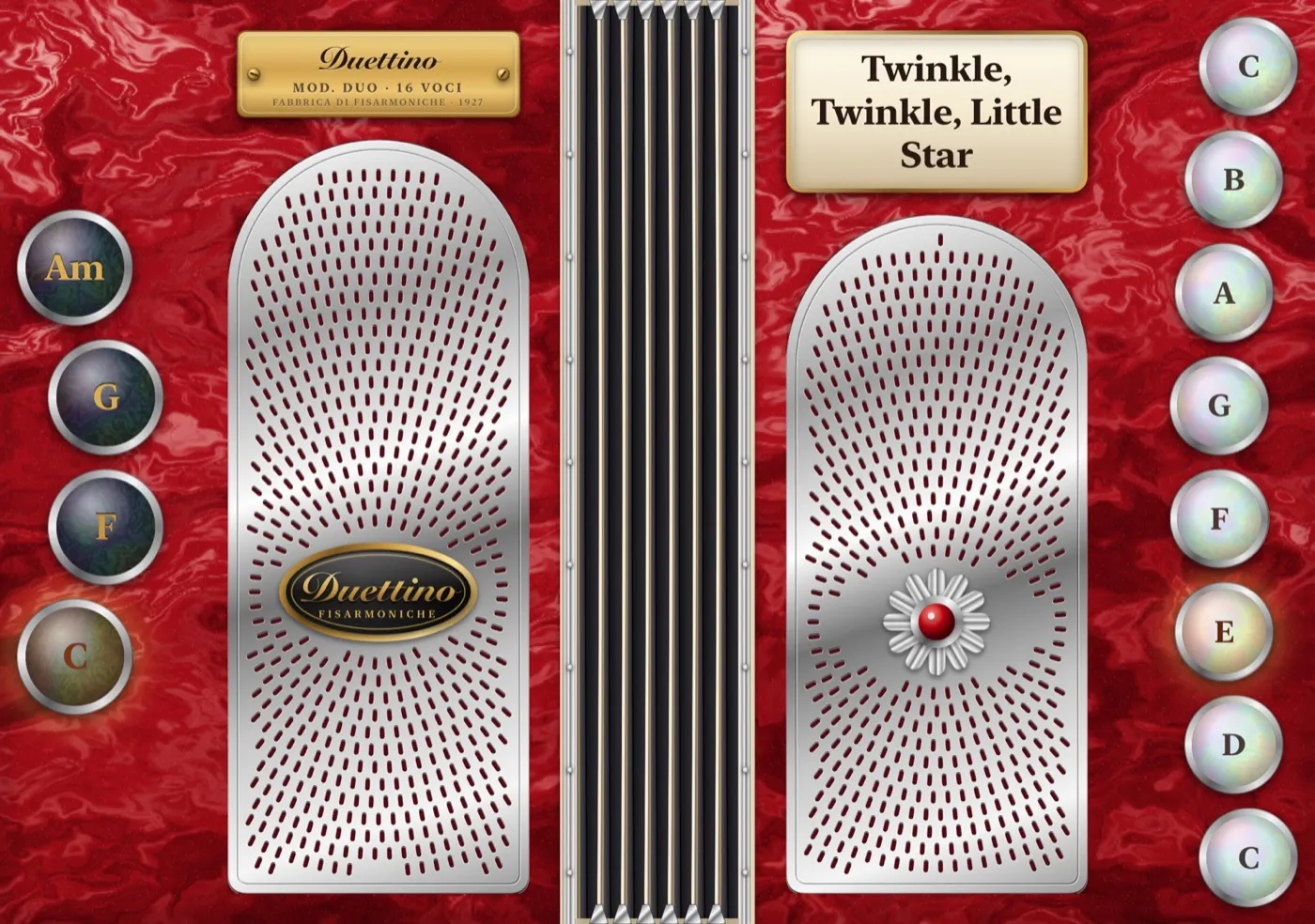
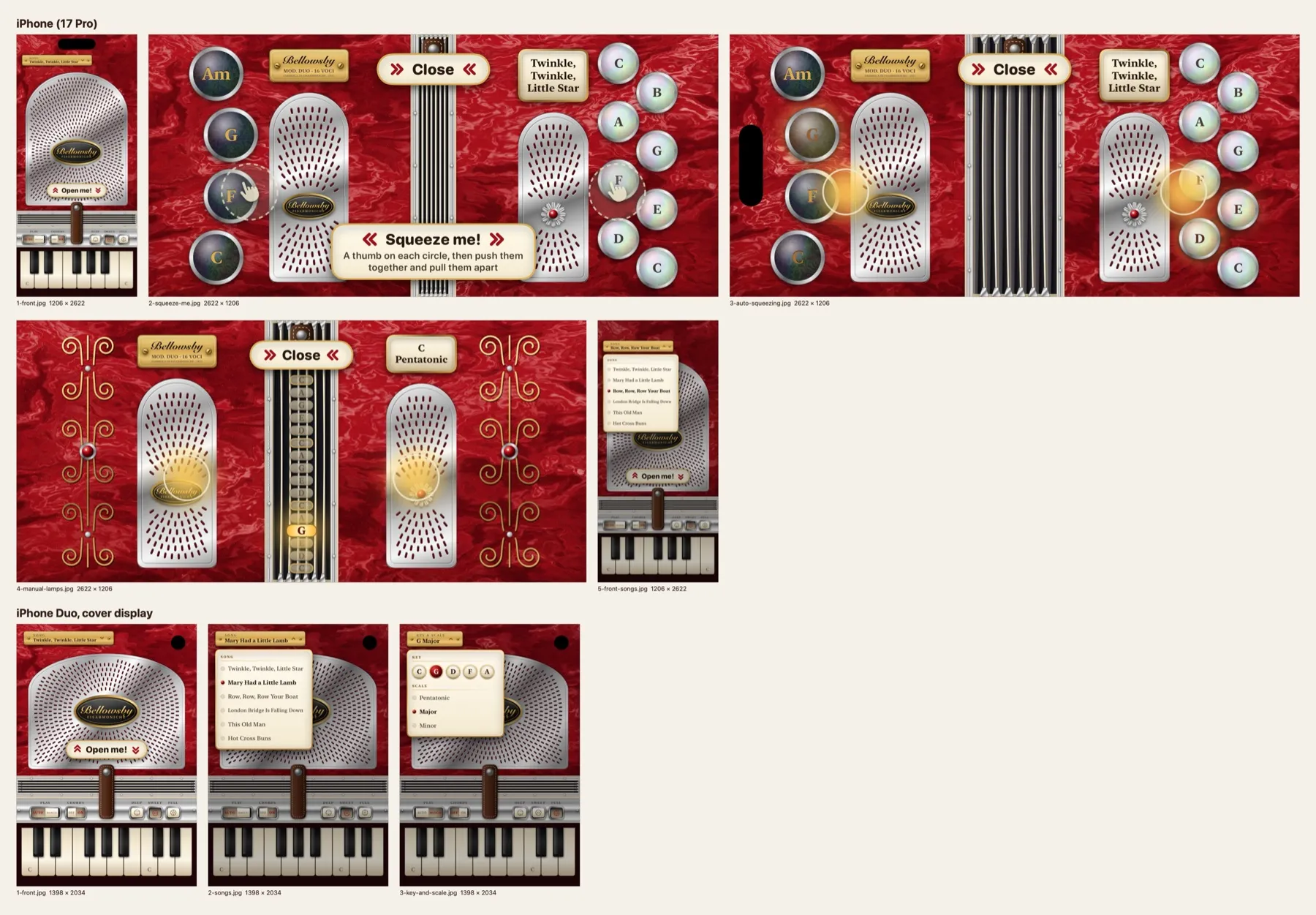
So it got simpler. In Auto, opening and closing the phone plays a song, one note per squeeze, with the right buttons lighting up as it goes. In Manual, the angle from 20 to 180 degrees is split into sixteen bands of 10 degrees, each one a note, and moving the hinge sounds it. Ten degrees is wide enough to find by hand, and narrow enough to fit a scale. All the sound is generated in code, with no recordings at all, which also turned out to make it much easier to change.
The music box is the same. Its tunes are public domain, written out as notes and played through a little synthesised music box. A different tune plays each time you open it.
Flicking the dancers
This was one of my favourite small moments. When the box opened, the dancer rose up with a little wobble on a spring. I wasn’t sure if that was on purpose, and asked if we could reuse it so you could flick the dancer. It turned out to be a few lines of code. A sideways flick or a tap sets them wobbling, and there’s a Wobble action for VoiceOver too.
It was too subtle at first. In the second build a tap leans the dancer about 14 degrees and a hard flick up to about 40, and the wobble rings on for longer before settling. I still haven’t tried a real flick with a real finger on a real Duo, so that tuning is mostly guesswork.
It can’t only be a Duo app
Somewhere in the middle I realised there’s no way to make an app for the Duo only. Anyone with an iPhone can download it. So both apps needed an ordinary iPhone version that still makes sense.
On an iPhone, you swipe up to lift Twirlaby’s lid. Bellowsby gets two big thumb circles and a “Squeeze me!” prompt, and you push your thumbs together and apart to work the bellows. Neither is as good as the hinge, but both are honest versions of the same idea, and they gave App Review something to actually use.
‘Proper’ building and submitting
With Expo, building and submitting is one command and somebody else’s servers. This time it was all mine, and I’m a little embarrassed by how much of it was new to me.
It wasn’t only a case of getting familiar with Xcode. I had to juggle more than one of it. The hinge APIs only existed in the Xcode 27.1 beta, sitting in my Downloads folder, and App Store Connect won’t accept anything built with a beta. So I also needed the released Xcode 27.0 installed alongside it, to build plain iPhone versions I could actually submit. We wrapped the hinge code so that 27.0 could leave it out entirely, and every build and test command had to say which Xcode it meant, without changing the one my Mac uses by default. Then the 27.1 release candidate arrived and became a third. For a while I had a beta, a release and a release candidate all installed at once, and it was very easy to lose track of which one had built what. The release candidate is the one that finally let us submit the Duo versions, and the beta is now retired.
Along the way there were lots of things Expo had quietly done for me. Signing with my team, version and build numbers (each upload needs a new one, as I found out on build 2), a privacy manifest, the encryption question, and icons built in Apple’s new Icon Composer. We ended up with a small script that archives and exports a signed build, and I used Transporter to send them up to App Store Connect. Then came the listing, screenshots in the right sizes and without transparency, the in-app purchase for Twirlaby’s Collection, and a grown-up check before buying, since it’s an app for kids.
Where it ended up
From the first message to both apps being submitted took about four days. Getting through review took a while longer. Twirlaby is free with the Fairy box, with a £9.99 Collection that adds five more boxes and dancers. Bellowsby is £4.99 with everything included. I suspect it’s a short-lived novelty, and I’m fine with that. Given my worries about hinge abuse, I was quietly relieved when it was approved.
What I took from it
Two things. The tiny test app that only logged numbers was the most useful thing I built, and it set every decision after it. I’d do that first every time now when a platform is new.
The other is that I’ve had to be comfortable shipping things I couldn’t fully test. Every “not checked on a real device” note in the plans is still there. On Friday I’ll finally open one for real, and find out which of my bugs were the simulator’s and which were mine. I’m fairly sure some will be mine.